
A digital discovery workflow setup is the process of organizing, automating, and managing electronic evidence handling to make criminal case management faster and legally defensible. Criminal defense teams face a specific challenge: discovery packages arrive in bulk, often containing body camera footage, text messages, call logs, and forensic reports across dozens of custodians. Without a structured system, attorneys spend weeks sifting through files instead of building arguments. The right workflow setup converts that chaos into a repeatable, auditable process that holds up in court and keeps your team moving.
What are the core components of a digital discovery workflow?
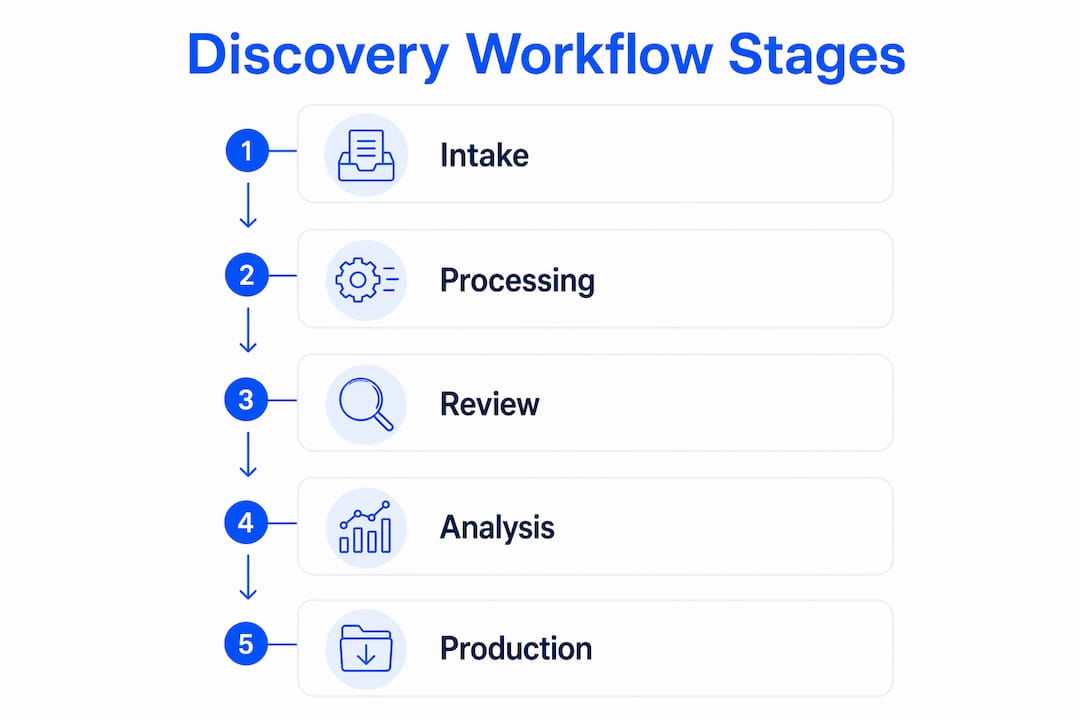
A digital discovery workflow is built around the Electronic Discovery Reference Model (EDRM), the industry standard framework covering every stage from data identification through production. Criminal defense teams should treat the EDRM as a navigation tool rather than a rigid checklist. EDRM stages overlap and evolve, so your workflow should track outcome states like "preserved," "search-ready," and "review-coded" rather than locking staff into sequential task chains.
The scope of electronically stored information (ESI) in criminal cases is broad. FRCP Rule 34 allows requests for documents or ESI stored in any medium, which means your workflow must account for body camera video, surveillance footage, cell phone extractions, email archives, and cloud storage. Each source type carries its own metadata profile, and your system needs to capture that metadata at intake or risk losing it permanently.
The five core stages every criminal defense workflow must address are:
- Intake and legal hold: Receive discovery materials, log custodians, issue preservation notices, and suspend any auto-delete policies on relevant accounts.
- Collection: Gather ESI from identified sources while preserving original folder structures and file metadata. Fragmented custodians and sources require workflows that maintain metadata threading for timeline reconstruction.
- Processing: Convert raw files into reviewable formats, run deduplication, extract text, and generate hash values for chain-of-custody verification.
- Review and analysis: Attorneys and paralegals code documents for relevance, privilege, and Brady material. This stage benefits most from automation and AI-assisted prioritization.
- Production and reporting: Deliver materials in court-required formats with accompanying privilege logs, production specifications, and audit trails.
| Stage | Key output | Primary owner |
|---|---|---|
| Intake and legal hold | Custodian log, preservation notice | Case manager |
| Collection | Verified ESI set with metadata | Paralegal or vendor |
| Processing | Deduplicated, searchable document set | Tech specialist |
| Review and analysis | Coded document set, privilege log | Attorney |
| Production and reporting | Production package, audit trail | Case manager |
Each stage should function as a distinct work queue with an assigned owner and defined completion criteria. That structure prevents files from stalling between stages and makes it easy to identify bottlenecks before they affect deadlines.
How do you set up a digital discovery workflow system?
Setting up a functional discovery workflow system starts with creating a dedicated workspace that separates each matter from others while sharing common templates and standards. The goal is consistency across cases without rebuilding the system from scratch every time a new file arrives.
Follow these steps to configure your system:
- Create a dedicated matter workspace. Each case gets its own environment with standardized folder structures mirroring the five workflow stages. This prevents cross-contamination of files and makes privilege reviews cleaner.
- Define standardized statuses and metadata fields. Workflow tools work best when you start with standardized lists and statuses, then convert that setup into reusable templates. For criminal defense, required metadata fields typically include custodian name, source device, collection date, file hash, and review status.
- Build document templates for recurring artifacts. A repeatable starter structure for discovery workflows includes templates for ESI protocols, chain-of-custody forms, processing and QC checklists, privilege logs, and production specifications. These templates reduce setup time on new matters and create a defensible paper trail.
- Assign task owners and set status-triggered automations. When a document moves from "collected" to "processing," the system should automatically notify the assigned processor and log the status change with a timestamp. Automations tied to status changes eliminate manual handoffs and reduce the risk of files sitting in limbo.
- Configure audit logging. Every action taken on a case file, from opening a document to changing a review code, should be logged with the user identity and timestamp. This is not optional. Courts expect it, and opposing counsel will ask for it.
Pro Tip: Never rely solely on platform-generated hash values for chain-of-custody documentation. Human-readable chain-of-custody forms and QC logs are required for legal defensibility, even when your system automates hashing and deduplication.
The comparison below shows the difference between an ad hoc approach and a structured workflow setup:
| Factor | Ad hoc approach | Structured workflow setup |
|---|---|---|
| Consistency across matters | Low, varies by attorney | High, template-driven |
| Chain-of-custody documentation | Manual, often incomplete | Automated logging plus human-readable forms |
| Onboarding new team members | Slow, relies on tribal knowledge | Fast, guided by documented SOPs |
| Defensibility under court scrutiny | Unpredictable | Auditable and reproducible |
What tools and automation features improve discovery efficiency?
Workflow automation tools designed for legal discovery management reduce review time by handling repetitive tasks that do not require attorney judgment. The most impactful automations in criminal defense discovery fall into three categories: document prioritization, multimedia transcription, and status-triggered alerts.

AI-assisted document prioritization is now a standard feature in advanced discovery platforms. AI workflows in criminal discovery involve an AI model running prioritization and search, flagging potentially exculpatory material, adding transcription and timestamp analysis, while the attorney retains final control over all coding decisions. This model keeps the attorney as the decision-maker while dramatically cutting the time spent on initial document triage.
Body camera footage and recorded interviews represent a significant volume challenge in criminal defense cases. Transcription workflows that convert audio and video to searchable text, with timestamps tied to specific moments in the recording, allow attorneys to locate key statements in minutes rather than hours. Platforms that preserve the original audio alongside the transcript give you the accuracy of the source material without sacrificing searchability.
Key automation features worth configuring in any discovery workflow include:
- Status-change alerts: Notify assigned reviewers when documents enter their queue, and escalate to supervisors when items sit unreviewed past a defined threshold.
- Metadata threading: Group related communications, such as email chains or text message threads, so reviewers see conversations in context rather than as isolated documents.
- Privilege flagging: Automatically tag documents containing attorney names or legal terms for secondary review before production.
- Deadline tracking: Tie production deadlines to calendar alerts that trigger reminders at defined intervals before the due date.
Pro Tip: Configure your automation triggers to log every status change with a timestamp and user ID. This creates a real-time audit trail that satisfies court-expected reasonableness standards without requiring manual documentation at each handoff.
The attorney must remain the final reviewer in any AI-assisted workflow. Automation handles volume. Attorneys handle judgment. That division is not just a best practice. It is a professional responsibility requirement.
How do you avoid common mistakes in discovery workflow setup?
The most expensive mistake in discovery workflow setup is underestimating how much documentation work defensibility actually requires. Teams often assume that a well-configured platform generates sufficient records automatically. It does not. Documentation requirements for defensibility go beyond platform hashes and require human-readable chain-of-custody forms, QC checklists, and production logs that a judge or opposing counsel can read without technical assistance.
A second common failure is ignoring information governance before discovery begins. Teams that align governance with discovery early reduce risks associated with preservation and spoliation. If your client's organization has auto-delete policies running on email or messaging platforms, those policies must be suspended immediately upon a preservation obligation arising. Failing to act on this is one of the fastest ways to face a spoliation motion.
Fragmented custodians create a third category of risk. Criminal cases routinely involve evidence from multiple officers, agencies, or witnesses, each with their own devices and storage systems. Preserving original folder structures and communication threads during processing is the only way to reconstruct accurate timelines and context later in the case.
Treating the EDRM as a rigid, sequential checklist is the single most common workflow design error. Build your SOPs around stage outputs and checkpoints, not fixed task sequences. A workflow that tracks whether evidence is "preserved," "search-ready," or "review-coded" is more defensible and more flexible than one that demands every step happen in a prescribed order.
Finally, produced ESI must be accessible and usable by the receiving party. Delivering files in proprietary formats without load files, or producing native files without extracted text, creates compliance problems and delays. Define your production specifications in writing at the start of every matter, and confirm them with opposing counsel or the court before you produce anything.
Key takeaways
A defensible digital discovery workflow setup requires standardized stages, human-readable documentation, and automation that keeps attorneys in control of final review decisions.
| Point | Details |
|---|---|
| Define stage outputs, not just steps | Track outcome states like "preserved" and "review-coded" rather than rigid sequential tasks. |
| Build templates at the start | ESI protocols, chain-of-custody forms, and privilege logs should be templated before the first document arrives. |
| Automate handoffs, not judgments | Use status-triggered alerts and metadata threading to reduce manual work without removing attorney oversight. |
| Document everything human-readable | Platform hashes alone do not satisfy defensibility requirements; QC logs and custody forms are required. |
| Address governance before collection | Suspend auto-delete policies and align retention practices with discovery obligations at the earliest possible stage. |
Why rigid workflows are the wrong goal
I have seen criminal defense teams spend months building elaborate workflow systems that collapse the moment a case arrives with unusual evidence types or an accelerated production deadline. The instinct to over-engineer is understandable. Discovery errors carry real consequences, and structure feels like protection. But the teams that handle high-volume, high-stakes discovery most effectively are the ones who build for adaptability, not perfection.
The most useful shift I have observed is moving from task-based thinking to outcome-based thinking. Instead of asking "did we complete step four," ask "is this evidence search-ready?" That reframe changes how you configure your system, how you train your staff, and how you respond when something unexpected arrives mid-case.
AI assistance is genuinely useful in this context, but only when the attorney understands what the AI is doing and why. Treating AI output as a final answer rather than a first pass is where workflows break down and where professional responsibility exposure begins. The technology handles volume. The attorney handles meaning. Any workflow setup that blurs that line is a liability waiting to materialize.
The other thing I would push back on is the assumption that a more complex system is a better system. The most defensible workflows I have encountered are also the simplest ones. Clear stage definitions, clean templates, consistent logging, and a team that actually follows the process. That combination beats any sophisticated platform configured by people who do not use it consistently.
— Faisal
How Caseflow supports your discovery workflow
Criminal defense teams managing large discovery packages need a platform built for their specific evidence types and compliance requirements, not a generic document management tool adapted for legal use.
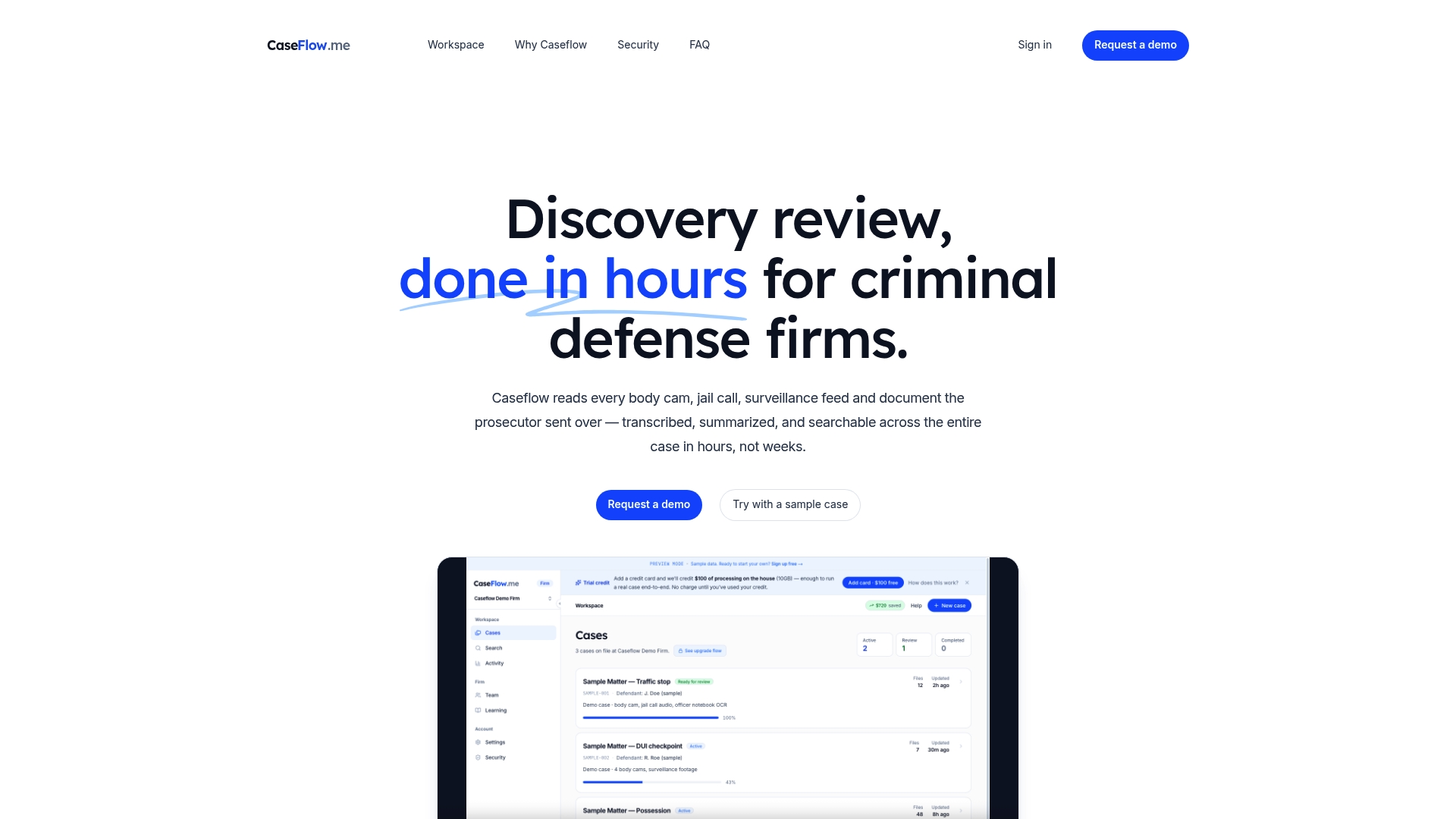
Caseflow combines AI-powered transcription, summarization, and searchable entity extraction in one platform designed specifically for criminal defense. The Brady-trail audit log tracks every action taken on a case file, giving you the human-readable chain-of-custody documentation that courts require. Caseflow processes evidence in multiple languages while preserving original audio, so your team works from accurate transcripts without losing access to the source recording. For teams looking to cut discovery review time from weeks to hours, Caseflow's security architecture also supports compliant handling of sensitive evidence throughout the entire workflow.
FAQ
What is a digital discovery workflow in criminal defense?
A digital discovery workflow is a structured system for receiving, processing, reviewing, and producing electronic evidence in criminal cases. It covers every stage from initial intake and legal hold through final production, with documented chain-of-custody at each step.
How does FRCP Rule 34 affect discovery workflow setup?
FRCP Rule 34 requires that ESI be produced in a usable form and that any translation processes be documented. This means your workflow must capture source metadata, define production formats in advance, and maintain records of how files were processed from their original state.
What should a chain-of-custody log include?
A chain-of-custody log should include the custodian name, source device or system, collection date and method, file hash values, and a record of every person who accessed or modified the file. Platform-generated hashes are necessary but not sufficient. Human-readable forms are required for court defensibility.
When should you use AI in a discovery workflow?
AI is most effective in the review and analysis stage, where it can prioritize documents, flag potentially exculpatory material, and transcribe audio or video evidence. The attorney must review and approve all AI-generated coding decisions before any material is produced or relied upon in case strategy.
How do you handle auto-delete policies during discovery?
Issue a preservation notice to all relevant custodians immediately upon a preservation obligation arising, and confirm in writing that auto-delete policies on email, messaging, and cloud storage platforms have been suspended. Aligning governance with discovery early is the most reliable way to prevent spoliation claims.